Use your AI providers in one project workspace.
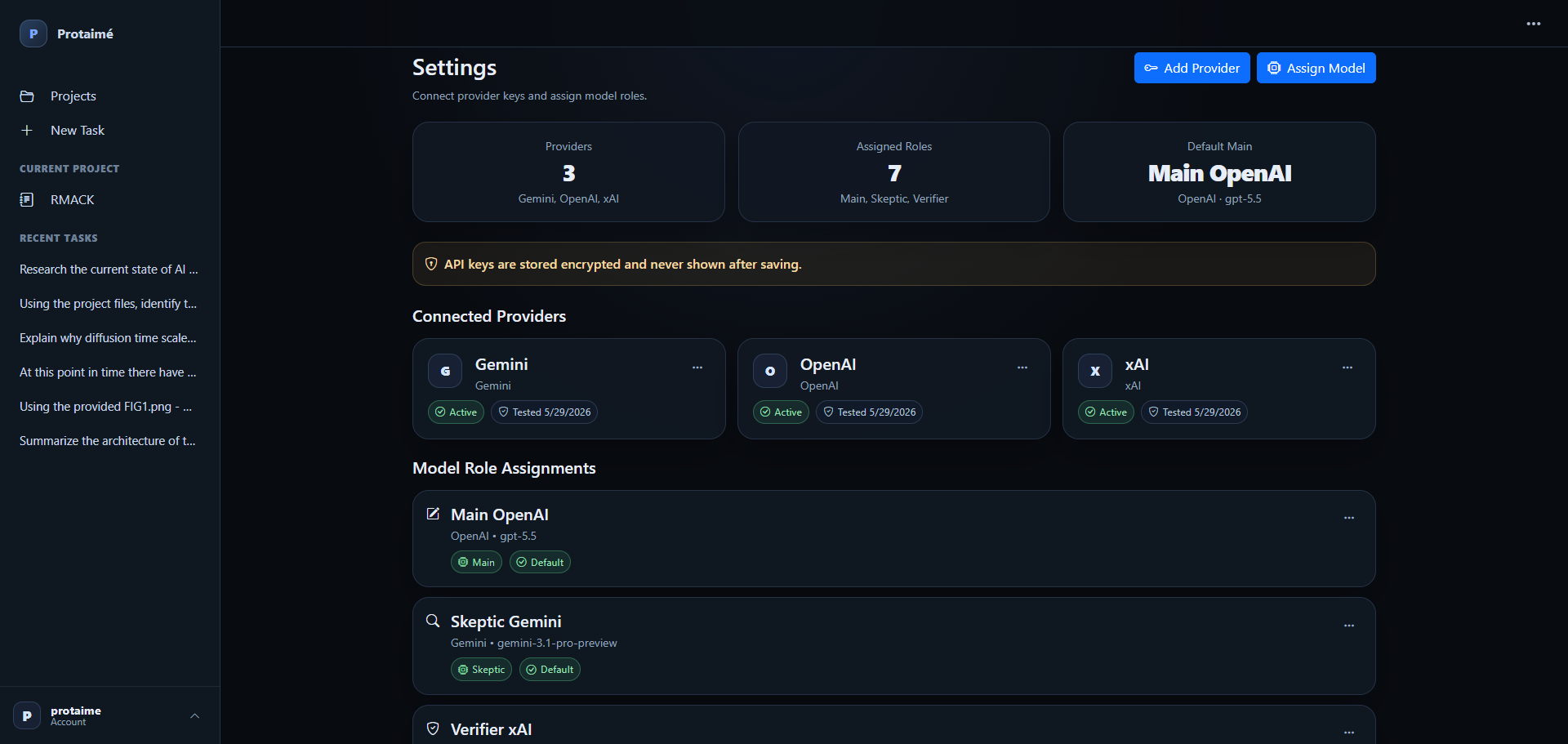
Protaimé is a bring-your-own-keys AI workbench. Connect your own OpenAI, Gemini, or xAI provider keys, assign models to workflow roles, and keep model usage billed through your provider accounts instead of buying bundled AI credits from the app.
Connect providers once, then use them across project workflows.
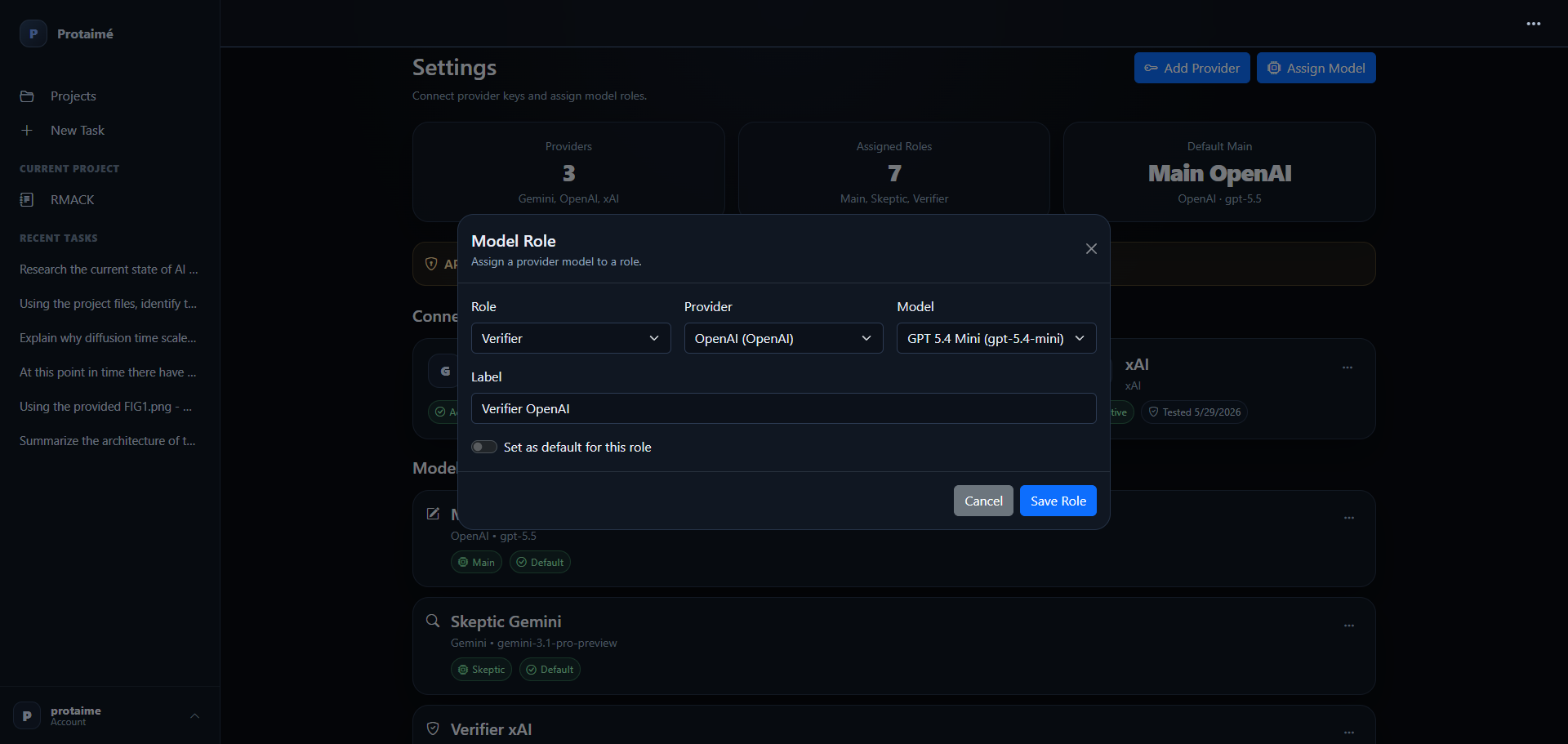
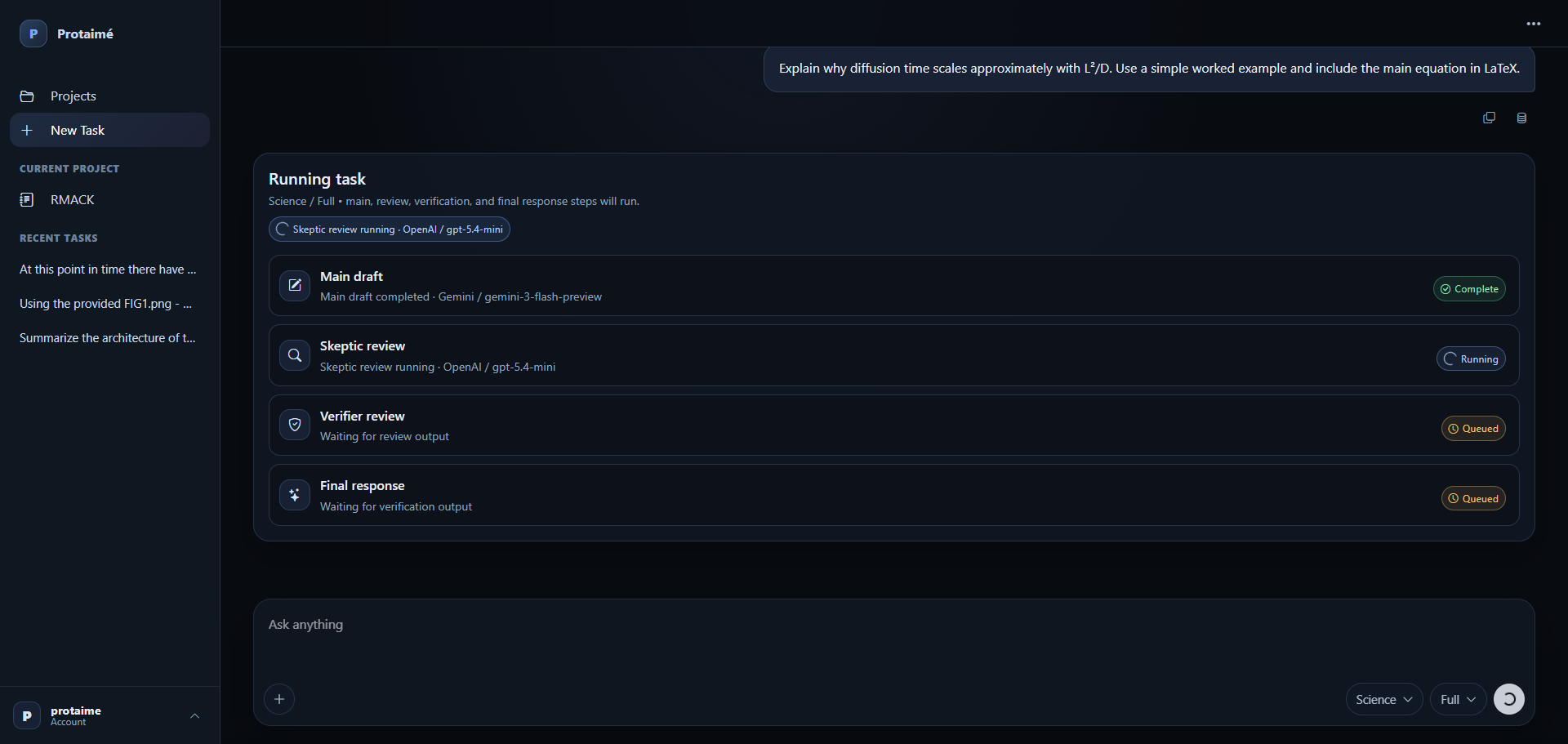
Protaimé separates the project workspace from model resale. Add encrypted provider keys, choose available models, assign them to roles, and run tasks using the providers you control.
Bring the model accounts. Protaimé provides the workspace.
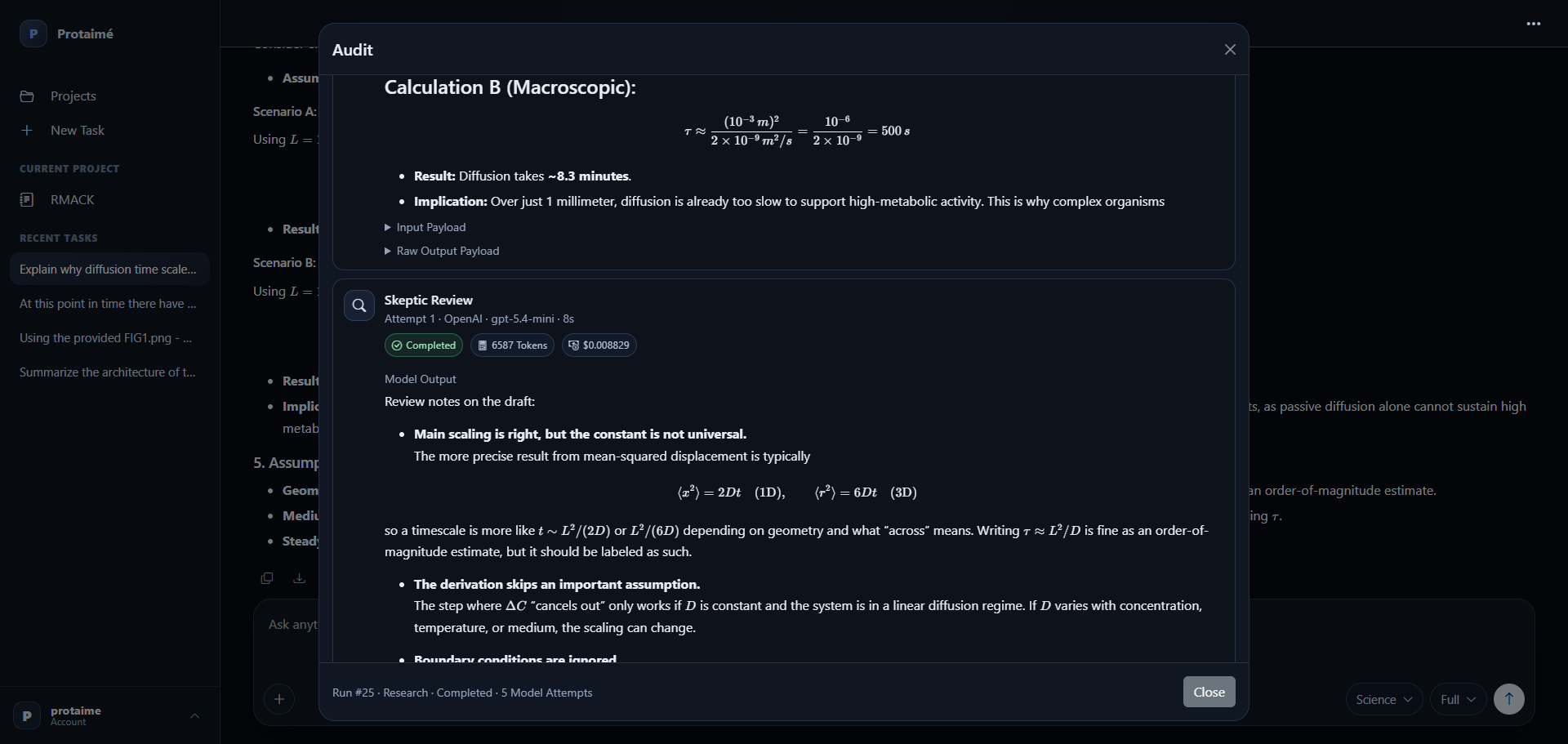
Protaimé is built around project context, files, model review, sources, audit trails, and orchestration. Model usage stays tied to the providers you choose and configure.
Add a Provider
Enter your provider API key in Settings. Keys are stored encrypted for server-side use and are not displayed back through the interface.
Choose Available Models
Select from the models exposed by the provider configuration and keep provider usage tied to your own account.
Assign Model Roles
Choose which models handle main drafting, review, verification, final response, or other configured workflow roles.
Run Project Work
Use your configured models with project files, extracted text, memory, instructions, sources, and audit history.
Control cost, provider choice, and model mix.
Bring-your-own-key design is useful when you already have provider accounts, want direct usage control, or want different models assigned to different parts of the workflow.
Direct Usage Control
Model usage is not hidden inside bundled credits. You connect your providers and manage usage through those provider accounts.
Role-Specific Models
Use different models for different jobs: fast drafts, stronger review, verification, research, or final synthesis.
Key Handling
Provider keys are stored encrypted for server-side use and are not exposed back to the user interface after saving.
Use the provider accounts you already trust.
Create an account, connect your provider keys, assign model roles, and run your first project-backed workflow. Protaimé does not include free model usage or resell model credits.