See what AI can actually use as context.
Protaimé makes extracted text visible before you rely on an answer. Review source text, PDF extraction, image OCR, and imported artifacts so project context is not hidden behind a black box.
Local OCR first. AI Vision when accuracy matters.
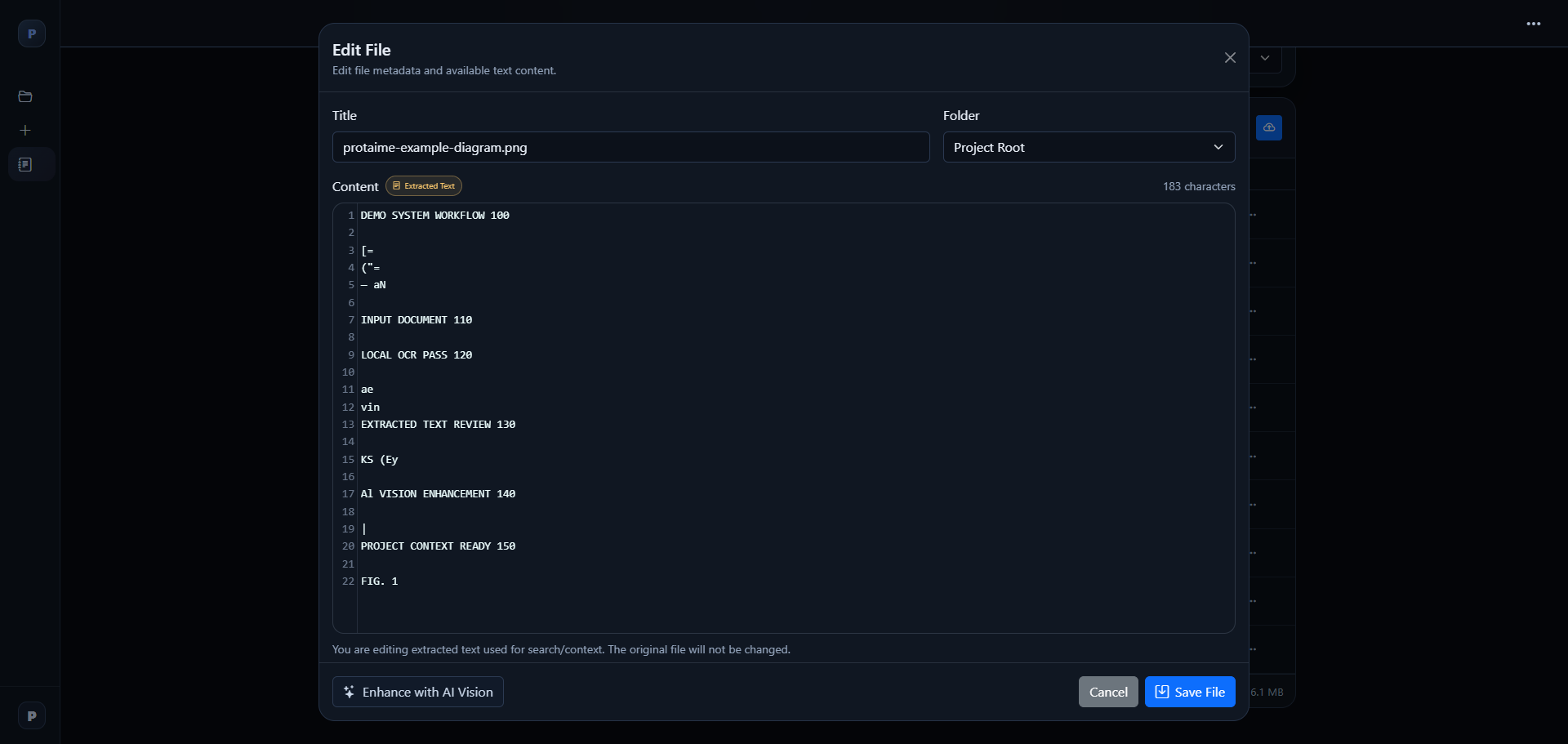
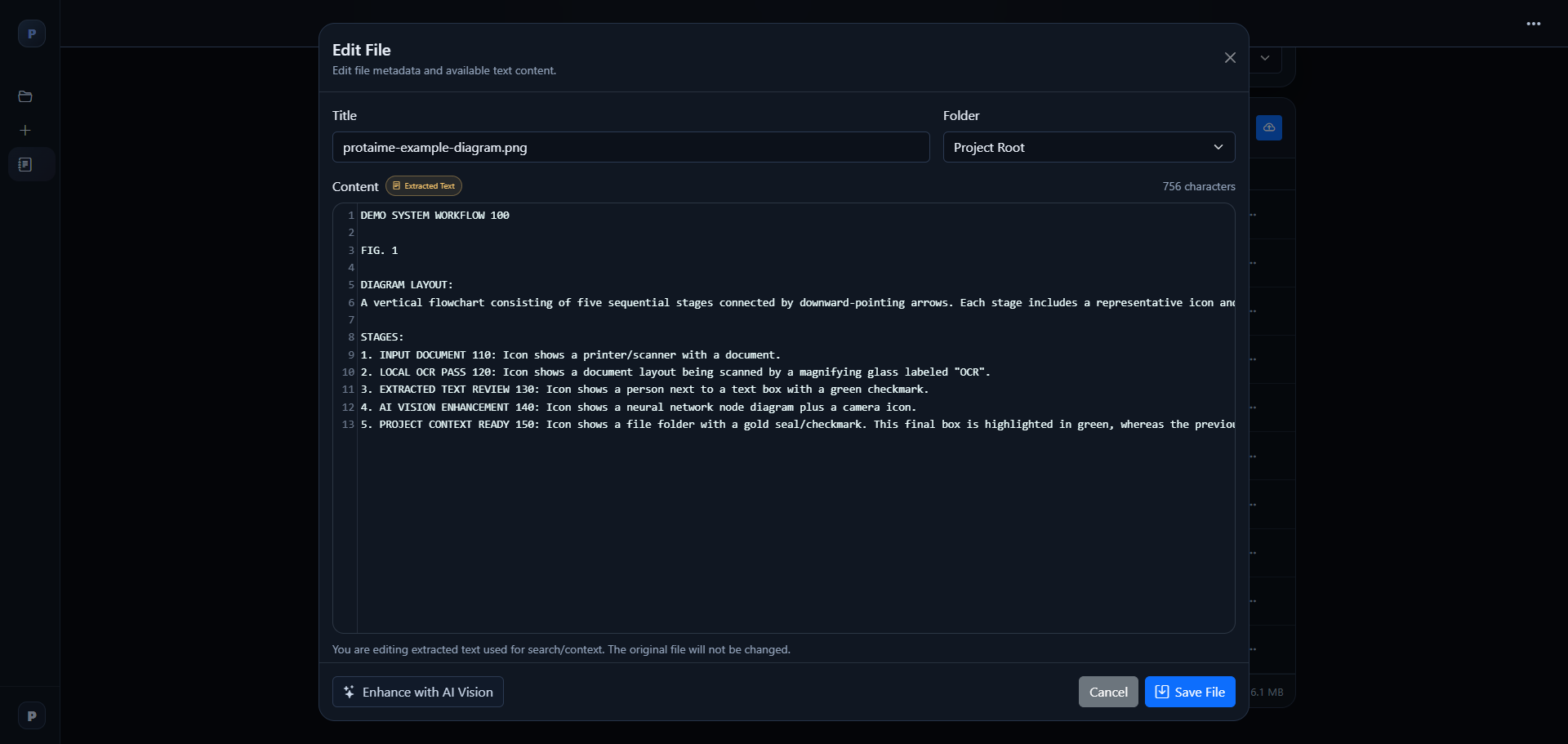
Protaimé gives you a local first-pass extraction, makes the result inspectable, and lets you enhance difficult image text with AI Vision when the file matters.
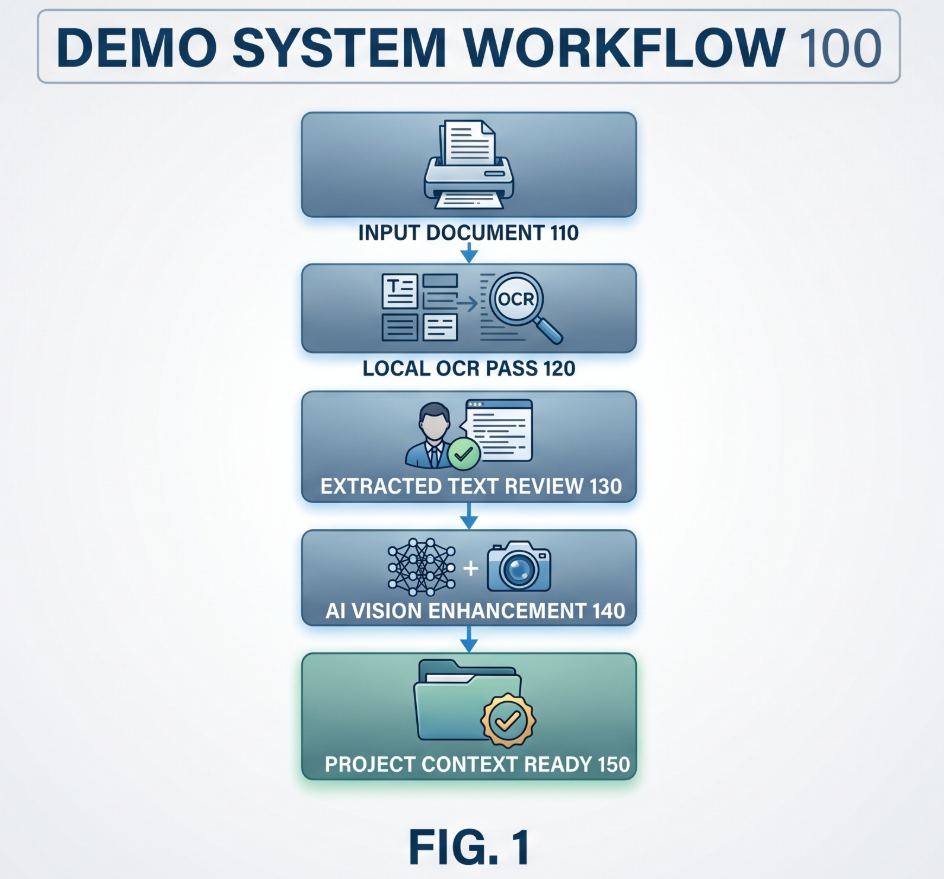
Turn difficult file text into usable project context.
The workflow is intentionally visible: upload the artifact, inspect the local extraction, enhance with AI Vision when needed, then save the improved text back into project context.
Upload Image or PDF
Add images, scanned material, PDFs, and PDF-extracted figures to the project file manager so they become usable project artifacts.
Inspect Local OCR
Review the first-pass extracted text directly in the editor instead of guessing what the system captured from the image.
Enhance with AI Vision
For difficult diagrams, figures, or low-quality OCR, use your configured AI model to create a cleaner text layer.
Save as Project Context
Edit and save the improved extraction so future prompts, reviewed workflows, and project-backed answers can use it.
Where inspectable extraction helps.
Extracted text is most useful when the file matters and you need confidence that the AI is working from readable content instead of assumptions.
PDF-Heavy Work
Review extracted text from technical documents, reports, specifications, research notes, or supporting packets.
Images and Scanned Material
Use OCR-backed text from images or image-derived artifacts when readable text is present.
Verification Before Use
Inspect the text layer before asking the AI to summarize, compare, analyze, or make recommendations from file content.
Inspect extracted text before AI relies on it.
Create an account, connect your provider keys, upload project material, and review extracted text before using it in AI tasks. Protaimé does not resell model usage.